

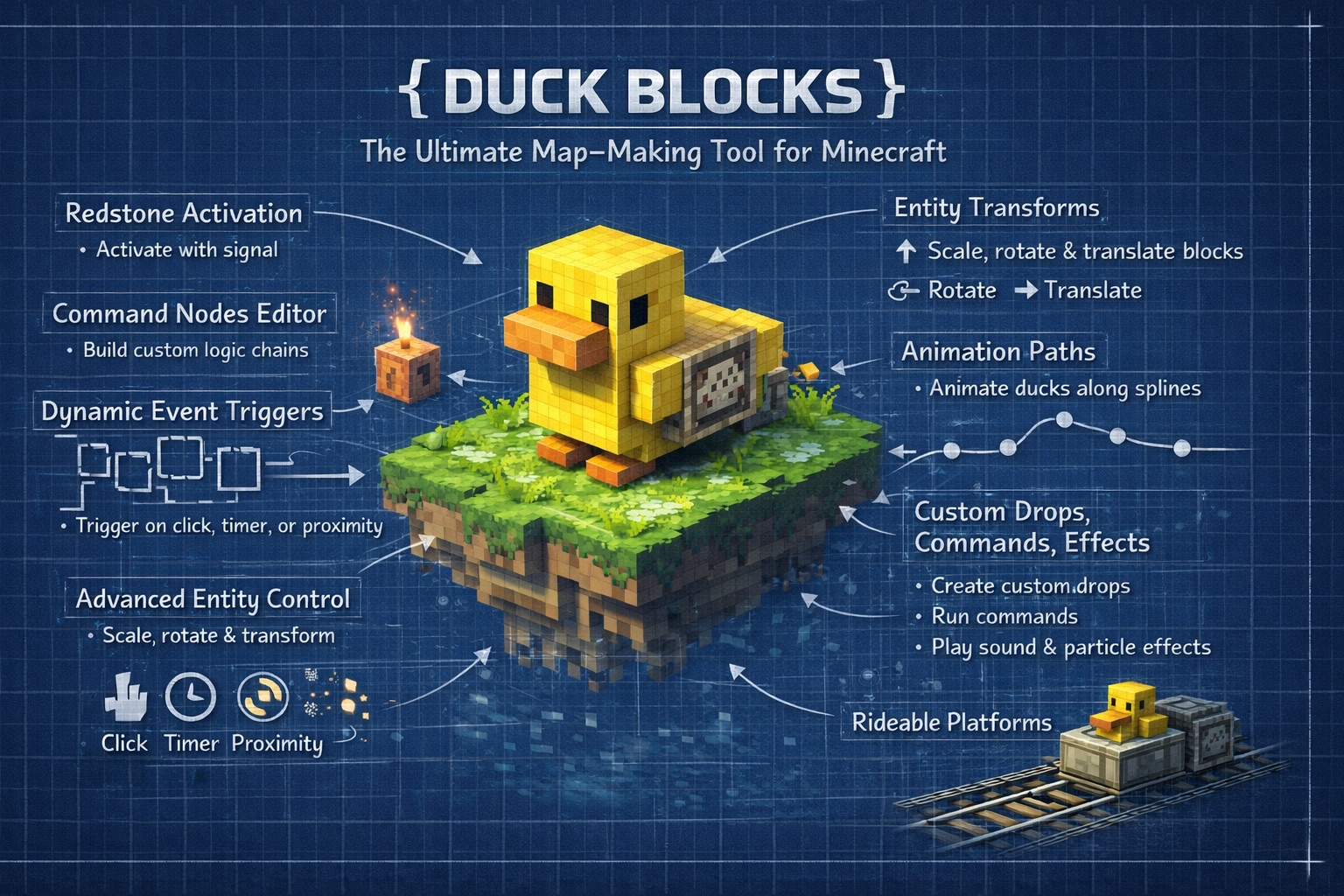


Duck Blocks background
Core pluginDuck Blocks
Duck Blocks icon

Duck Blocks

The main Duck Blocks page for builder systems, runtime tools, release notes, and related add-ons.

Create triggers from /duckblock gui instead of wiring long command-block chains.
Run blocks, hitboxes, displays, redstone, timelines, travel, and optional ModelEngine props from one engine.
Keep the backend readable with config.yml, duckblocks.yml, animations.yml, and effects.yml.

Runtime

Paper 1.21.x / Java 21

Main command

/duckblock, /duck, /db

Core files

config.yml, duckblocks.yml, animations.yml, effects.yml

Optional bridge

ModelEngine

Latest release

Duck Blocks

The main Duck Blocks page for builder systems, runtime tools, release notes, and related add-ons.

  • Create triggers from /duckblock gui instead of wiring long command-block chains.
  • Run blocks, hitboxes, displays, redstone, timelines, travel, and optional ModelEngine props from one engine.
  • Keep the backend readable with config.yml, duckblocks.yml, animations.yml, and effects.yml.
Browse plugin directory

Overview

What this plugin covers

Duck Blocks binds actions to block locations, legacy ArmorStand buttons, or modern Interaction plus Display setups. A trigger can run db actions, server commands, sounds, particles, timelines, or travel from one place.

If you need terminals, gates, elevators, trains, animated props, or moving platforms, this is the kind of plugin it is.

  • GUI-first setup with file-backed storage.
  • Redstone, displays, placeholders, movement, and effects in one runtime.
  • Fast to start small, deep enough for serious map work.

At a glance

  • Create triggers from /duckblock gui instead of wiring long command-block chains.
  • Run blocks, hitboxes, displays, redstone, timelines, travel, and optional ModelEngine props from one engine.
  • Keep the backend readable with config.yml, duckblocks.yml, animations.yml, and effects.yml.

Compatibility and setup

Runtime

Paper 1.21.x / Java 21

Main command

/duckblock, /duck, /db

Core files

config.yml, duckblocks.yml, animations.yml, effects.yml

Optional bridge

ModelEngine

Guided sections

Plugin guide

Duck Blocks purpose banner

What It Does

Build machines, props, and map logic players can actually use

Duck Blocks turns world objects into usable systems instead of decorative blocks.

Put a trigger on a block, a stand button, or a click hitbox and use it to drive commands, sounds, particles, displays, motion, or travel.

That covers the small stuff like panels and doors, but it also covers the bigger stuff like station pieces, ride systems, and moving props.

Use it for

  • Control panels, doors, gates, terminals, and redstone-aware props.
  • Display entities, text and item props, hitboxes, and scripted visual feedback.
  • Larger systems like rides, elevators, station platforms, moving scenes, and map interactions.

Duck Blocks quickstart banner

First Boot

A good first boot is one trigger, one action, one save

Get to a working result fast, then expand once the pipeline is proven.

On first enable, Duck Blocks creates config.yml, animations.yml, effects.yml, duckblocks.yml, and duckblocks-state.yml.

Open /duckblock gui, create one trigger, add one visible action, save, and retest. If you are already looking at a trigger, the same command jumps straight into that trigger editor. If you plan to use add-from-file, the commands/ folder is created the first time that command is used.

TEXT
/duckblock gui
/duckblock help
/duckblock add-from-file station_open.txt console
YAML
commands:
  - "db:message &aGenerator online"
  - "db:sound BLOCK_NOTE_BLOCK_PLING 1 1"
  - "db:particle ELECTRIC_SPARK 8 0.2 0.2 0.2 0.01"

What a healthy first boot proves

  • The GUI is available and saving cleanly.
  • One trigger can fire a visible action without weird side effects.
  • duckblocks.yml reflects what you just built, so the content path is trustworthy.
Duck Blocks engine banner

Engine To Build On

Built to grow with the map

Duck Blocks stays manageable because defaults, triggers, and presets live in separate lanes.

config.yml handles server-wide defaults. duckblocks.yml stores the trigger library. animations.yml and effects.yml hold reusable presets.

That structure is why the plugin scales well for map teams. Builders can work in game, while admins still keep files they can review, copy, and maintain.

Why teams keep building on it

  • Reusable presets stop every machine from turning into a one-off.
  • File-backed content is much easier to audit than pure GUI state.
  • The same engine can grow with the map instead of being replaced once the world gets ambitious.
Duck Blocks features banner

Standout Features

This goes well past simple buttons

The big selling point is how quickly the plugin jumps from small utility work to full map systems.

Duck Blocks supports per-player redstone, nearby and timed activation, timelines, particle shapes, display actions, and optional ModelEngine binding from the same runtime.

Travel is the standout lane: walkable platforms, mountable movers, SMART carry, collider shulkers, and waypoint-based movement that feels much closer to a ride system than a normal trigger plugin.

TEXT
db:particlefx ring ELECTRIC_SPARK 1.4 96 0.0 0.0

High-signal features

  • Per-player redstone that can target nearby players instead of behaving like a blind world pulse.
  • Timelines, particle shapes, sounds, and display actions for much richer presentation.
  • Walkable and mountable travel systems with proper carry behavior.
  • ModelEngine OWNED or ATTACHED props when you want custom animated world pieces.
Duck Blocks performance banner

Performance And Controls

Event-driven where it matters

Duck Blocks avoids the worst kind of world-plugin overhead: broad constant polling.

Redstone is event-driven. Animations only tick triggers that actually have animations. Nearby checks are throttled. Timeline loops are chunk-safe. Travel persistence does not force chunk loading. State autosave runs asynchronously.

Admins also get useful controls for save cadence, clickbox defaults, animation cadence, permissions, redstone behavior, batch tools, reloads, cleanup, and carry debugging.

YAML
redstoneEnabled: true
redstoneEdge: ON
redstoneDebounceMs: 250
redstonePerPlayer: true
redstoneRange: 12.0
redstoneMaxTargets: 16
redstoneSkipIfEmpty: true
requirePlayerPlaceholder: true

Why the runtime stays practical

  • The engine leans on real events instead of broad constant scans.
  • Only active animated or scheduled systems keep ticking.
  • Admins get real runtime controls instead of guessing when something feels off.
Duck Blocks dependencies banner

Compatibility

Simple baseline, optional extras

Most servers only need Paper and Java 21. The main optional upgrade path is ModelEngine.

The plugin targets Paper 1.21.x on Java 21. ModelEngine is the clearly implemented optional bridge for owned or attached models and runtime actions.

ProtocolLib and PacketEvents are also declared as softdepends in plugin.yml, but the cleanest buyer-facing message is that ModelEngine is the main real integration surface.

Compatibility snapshot

  • Paper 1.21.x and Java 21 are the real baseline.
  • ModelEngine is optional, but it is a real implemented bridge.
  • ProtocolLib and PacketEvents are soft-declared compatibility lanes in plugin.yml.
  • Placeholder handling is built in, so the plugin does not need PlaceholderAPI to resolve its own tokens.
Duck Blocks bridges banner

Integrations and bridges

Works with the rest of your plugin stack

Duck Blocks does not need a dedicated bridge for every plugin to be useful in a larger server setup.

Triggers can dispatch console or player commands after resolving placeholders such as {player}, {uuid}, {world}, {x}, {y}, and {z}. Waypoint actions also add {trigger}.

That makes Duck Blocks a practical front-end for quests, permissions, warps, scoreboards, cutscenes, and other plugin-driven systems.

The bridge patterns that matter

  • ModelEngine OWNED and ATTACHED binding for custom models and runtime actions.
  • Console and player command handoff so one trigger can drive the rest of the server stack.
  • Internal placeholder replacement for player, trigger, and location-aware behavior.
Duck Blocks customization banner

Customization

Wide editing surface, not a dead-end GUI

The GUI is only the front door. The trigger model underneath is much deeper.

Per trigger, you can tune delay, cooldowns, one-time behavior, redstone edge handling, display content, interpolation, offsets, rotations, animations, timelines, travel, ModelEngine settings, hidden state, and hitboxes.

The admin side adds batch tools, copy and paste and clone flows, nearby mass edits, file and book command authoring, display editing, travel path tools, and ModelEngine-specific GUI surfaces.

YAML
execDelayMs: 250
cooldownMs: 1500
cooldownScope: PER_PLAYER
oneTime: false
displayText: "<green>Platform Ready"
displayScale: 1.0
hidden: false

Things you can tune per trigger

  • Activation rules, delay, cooldown scope, and one-time behavior.
  • Display appearance, offsets, rotations, interpolation, and hitbox setup.
  • Animation, timeline, travel, and ModelEngine modules on the same trigger.
Duck Blocks snippets banner

Quick Reference

Examples worth showing on the download page

These explain Duck Blocks faster than another paragraph.

Use a few short examples to show the command surface, the db action language, and the travel depth.

TEXT
/duckblock gui
TEXT
/duckblock add-from-file station_open.txt console
TEXT
db:particlefx ring ELECTRIC_SPARK 1.4 96 0.0 0.0
YAML
travel:
  enabled: true
  trigger: CLICK
  mode: LOOP
  speedBlocksPerSecond: 1.5
  smooth: true
  walkable: true
  walkPlatformType: COLLIDER_SHULKERS
  carryMode: SMART
  walkLevitationAssist: true
  mountable: true
  mountSneakToMount: true

Why these examples work

  • They prove the GUI-first quickstart without hiding the command surface.
  • They show the internal db action language in one line.
  • They make the advanced redstone and ride-system depth feel concrete.




