
Duck Shot background
Core pluginDuck Shot
Duck Shot icon

Duck Shot

Download Duck Shot, read the setup docs, check release history, and find the related add-ons.

Paper 1.21.4+ / Java 21.
Guns, ammo, attachments, projectiles, throwables, explosives, grapples, and shared combat files in one plugin.
Docs, releases, support, and add-ons stay on the same Block Arsenal route.

Runtime

Paper 1.21.4+ / Java 21

Soft dependencies

ProtocolLib, WorldGuard, MCWAR-Airdrops

Commands

/duckshot, /ds, /shot, /gun, /guns

Main permissions

duckshot.use, duckshot.give, duckshot.admin

Page use

Download, setup docs, release history, add-ons

Latest release

Duck Shot

Download Duck Shot, read the setup docs, check release history, and find the related add-ons.

  • Paper 1.21.4+ / Java 21.
  • Guns, ammo, attachments, projectiles, throwables, explosives, grapples, and shared combat files in one plugin.
  • Docs, releases, support, and add-ons stay on the same Block Arsenal route.
Browse plugin directory

Overview

What this plugin covers

Duck Shot is for servers that want one combat plugin instead of stacking separate systems together for guns, ammo, throwables, explosives, and movement tools.

The core plugin handles the combat layer. Shared files keep weapons, ammo, attachments, classifications, projectiles, particles, visual states, and integrations separate so the setup stays readable as it grows.

  • Use this page for the main download, release history, setup links, and related add-ons.
  • Start with the bundled content first, then build out your own files.
  • Optional integrations can be added later without replacing the main combat system.

At a glance

  • Paper 1.21.4+ / Java 21.
  • Guns, ammo, attachments, projectiles, throwables, explosives, grapples, and shared combat files in one plugin.
  • Docs, releases, support, and add-ons stay on the same Block Arsenal route.

Compatibility and setup

Runtime

Paper 1.21.4+ / Java 21

Soft dependencies

ProtocolLib, WorldGuard, MCWAR-Airdrops

Commands

/duckshot, /ds, /shot, /gun, /guns

Main permissions

duckshot.use, duckshot.give, duckshot.admin

Page use

Download, setup docs, release history, add-ons

Guided sections

Plugin guide

Duck Shot features banner

Introduction

Introduction

Duck Shot adds a shared combat system to Paper servers without forcing you to split the setup across several plugins.

If you want guns, ammo, attachments, projectiles, throwables, explosives, grapples, melee tools, and other combat items under one plugin, this is the core plugin for that setup.

The goal is simple: keep the combat system, the shared files, and the player-side loop in one place so the plugin is still manageable after the server grows past a starter setup.

Core coverage

  • Firearms and shared weapon handling.
  • Ammo, attachments, and projectile behavior.
  • Throwables, planted devices, and utility items.
  • Grapples, melee tools, and other custom combat items.
  • Shared particles, sounds, and visual states.

Duck Shot purpose banner

Features

Features

The core plugin ships with the starter content and the systems behind it.

Duck Shot is not only a few demo weapons. The plugin already includes the shared systems you need to run a bigger combat setup later: weapon files, shared ammo, attachments, classifications, projectiles, particles, visual states, GUI categories, and optional integrations.

The bundled lineup is there to help you test the core loop first. After that, you can extend the same system instead of replacing it.

What stands out

  • One plugin covers guns, throwables, planted devices, grapples, and support items.
  • Shared files keep ammo, attachments, classifications, and projectiles organized.
  • The starter lineup gives you something real to test before you build custom content.
  • Optional bridges let the plugin fit into a larger server stack later.
Duck Shot quickstart banner

Install

How to install

Install the plugin, generate the files, test one weapon, then start editing.

The clean rollout is simple. Install the plugin, boot once so the files generate, make sure the main commands are available, and then test one known-good weapon before you start changing files.

  • Drop Duck Shot into plugins/.
  • Start the server once so the plugin can generate its files.
  • Run /duckshot or /ds and confirm the command surface is working.
  • Give yourself one test weapon and run the full loop: hold, reload, fire, and check the feedback.
  • Once one weapon works cleanly, move on to your real files.
TEXT
plugins/
  DuckShot/
    config.yml
    weapons/
    ammos.yml
    attachments.yml
    classifications.yml
    gui.yml
    integrations.yml
    projectiles.yml
    particles.yml
    particles_presets.yml
    visual_states.yml
YAML
fire:
  mode: SEMI
  shots_per_second: 4.0
  projectiles_per_shot: 1
 
recoil:
  pitch_per_shot: 0.8
 
reload:
  seconds: 1.9

After first boot

  • Do not try to build the whole arsenal first.
  • Make one clean weapon work before you touch the rest of the setup.
  • Use the generated file layout instead of forcing everything into one file.
Duck Shot engine banner

Commands

Commands and file layout

The main commands are easy to learn, and the file split is what keeps the plugin manageable.

The main aliases are /duckshot, /ds, /shot, /gun, and /guns. The most common command lanes are listing weapons, giving or getting test items, checking ammo, opening menus, reloading the plugin, and reviewing particles.

TEXT
Common commands
- /duckshot list
- /duckshot get <weapon>
- /duckshot give <player> <weapon>
- /duckshot ammo
- /duckshot menu
- /duckshot reload
- /duckshot particles

Main file groups

  • `weapons/` for the actual weapon files.
  • `ammos.yml`, `attachments.yml`, and `classifications.yml` for shared content layers.
  • `projectiles.yml`, `particles.yml`, `particles_presets.yml`, and `visual_states.yml` for reusable feedback and visuals.
  • `integrations.yml`, `gui.yml`, and `config.yml` for runtime behavior and admin setup.
Duck Shot features banner

Customization

Editing and customization

Custom content is built from normal files, not locked behind a closed editor.

Duck Shot is built around editable files and shared systems. You can tune individual weapons, but you can also control the shared behavior behind the whole arsenal so you are not repeating the same work in every file.

TEXT
Common edit split
- ammos.yml for alternate rounds
- attachments.yml for conversions and upgrades
- classifications.yml for shared family rules
- projectiles.yml for reusable projectile profiles
- visual_states.yml for presentation and state changes

That is the difference between a plugin that stays manageable and one that turns into a pile of one-off weapon files.

Common edit areas

  • Fire mode, shots per second, spread, recoil, reload speed, and handling.
  • Ammo families, ammo variants, and custom rounds.
  • Attachments, conversions, and upgrade paths.
  • Projectiles, particles, sounds, categories, and visual states.
Duck Shot performance banner

Runtime

Runtime and compatibility

Duck Shot targets current Paper servers and keeps the shared runtime settings in normal files.

Paper 1.21.4+ and Java 21 are the current baseline. ProtocolLib is the preferred input path, but it is still a soft dependency. WorldGuard and MCWAR-Airdrops are also optional.

Performance-related settings live in shared files. That lets you adjust projectile behavior, particles, sounds, and visual states without reopening every weapon file one by one.

Runtime notes

  • Paper 1.21.4+ and Java 21 are required.
  • ProtocolLib is recommended, but not required to boot the plugin.
  • WorldGuard and MCWAR-Airdrops are optional bridges.
  • Shared performance settings are easier to tune than duplicated per-weapon values.
Duck Shot dependencies banner

Dependencies

Dependencies and integrations

Duck Shot runs on its own, and the extra integrations can be added when the server needs them.

The current soft dependency list is straightforward: ProtocolLib, WorldGuard, and MCWAR-Airdrops. These are optional, not hard blockers.

Duck Shot is also built to sit inside a wider Block Arsenal setup, so vehicle, NPC, and event systems can work with the same combat layer instead of replacing it.

TEXT
Current integration notes
- ProtocolLib support
- WorldGuard bridge support
- MCWAR-Airdrops bridge support
- Vehicle MC integration paths
- Built for the wider Block Arsenal ecosystem

What that means in practice

  • Protected zones and combat rules can stay coordinated.
  • Airdrops and other events can connect to the same combat system.
  • Vehicle-related combat can stay under the same overall stack.
  • NPC and other ecosystem content can keep the same combat language.
Duck Shot and Block Arsenal banner

Block Arsenal

Block Arsenal add-ons

The core plugin gives you the system and a starter lineup. Block Arsenal is where the extra packs and related content live.

Duck Shot is not supposed to ship every category pack you might want long term. The starter content is there to prove the system and give server owners something real to test first.

If you want more depth without building every file by hand, Block Arsenal is where the extra Duck Shot packs, related assets, docs, release history, and connected ecosystem content live.

TEXT
Wider Block Arsenal stack
- Duck Shot for weapons, ammo, attachments, projectiles, and combat items
- Duck Blocks for triggers, displays, map logic, movement systems, and reusable effects
- Vehicle MC for vehicles, rig backends, service systems, transport gameplay, and armed-vehicle workflows
- DuckShell NPCs for AI, patrols, spawners, dialogue, companions, and Duck Shot-ready NPC combat

What Block Arsenal adds

  • Extra Duck Shot packs and category expansions.
  • Configs, models, setups, and ready-to-use content built for the same stack.
  • Connected assets for vehicles, NPCs, maps, triggers, UI, and other workflows.
  • One place for the wiki, download hub, update history, and related add-ons.
Duck Shot customization banner

Permissions

Permissions and admin access

The main permission surface is small and easy to understand.

For normal use, most servers only need the base use permission. Admin and setup routes stay behind the give and admin permissions.

TEXT
Main permissions
- duckshot.use
- duckshot.give
- duckshot.admin

If you are giving staff access for setup or testing, keep the permission split simple and only hand out the higher routes where they are needed.

Permission notes

  • `duckshot.use` for normal use.
  • `duckshot.give` for handing out test or admin items.
  • `duckshot.admin` for higher-level setup and control routes.
Duck Shot showcase banner

Showcase

Show the plugin in use

The gallery should show live gameplay, a real admin or startup view, and a clean lineup shot.

The goal here is simple. Show what the plugin looks like in motion, show how the admin side looks, and show the overall visual tone of the lineup before someone downloads it.

What the gallery should show

  • Live combat with readable feedback.
  • A real startup or admin view.
  • A clean lineup or promo shot for the default content.

Preview Gallery

Real screenshots and in-server proof for this section.

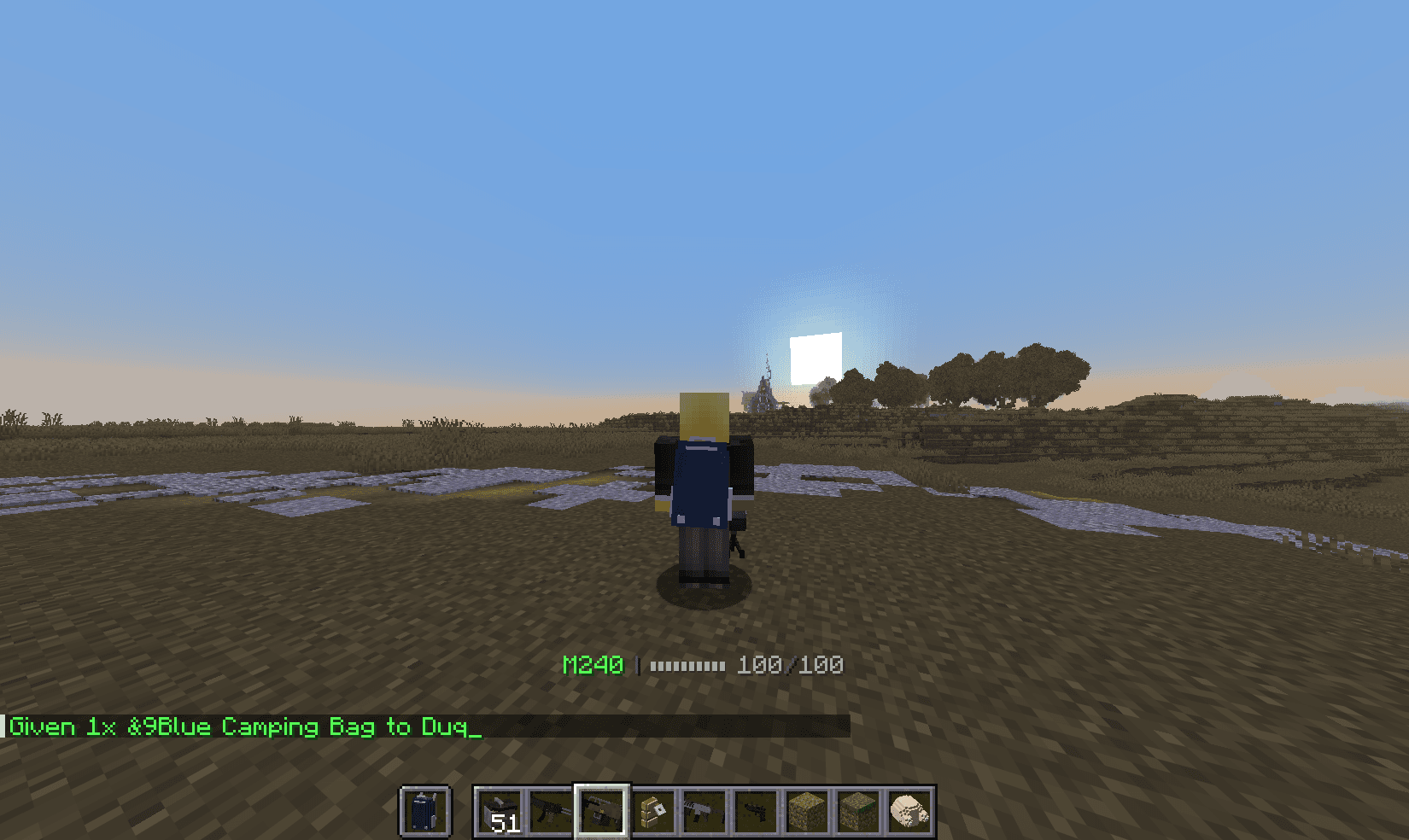
Duck Shot live gameplay

Preview slot

Live gameplay

Combat in motion with recoil, reloads, movement, impacts, and weapon feel.

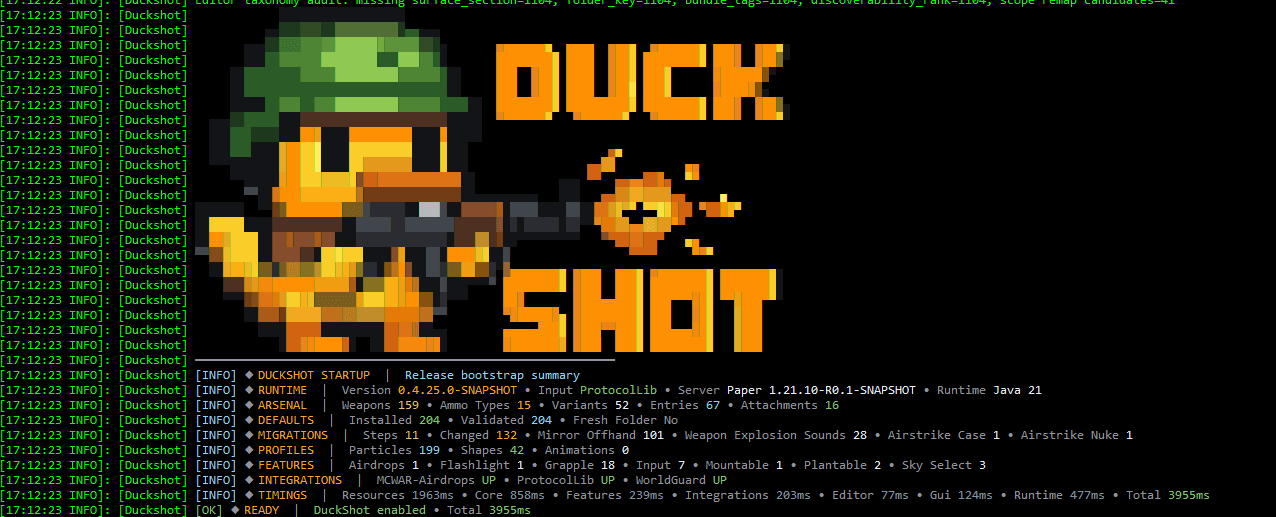
Duck Shot startup summary

Preview slot

Startup and admin view

A real startup and operator view that shows the plugin structure, runtime, and loaded systems.

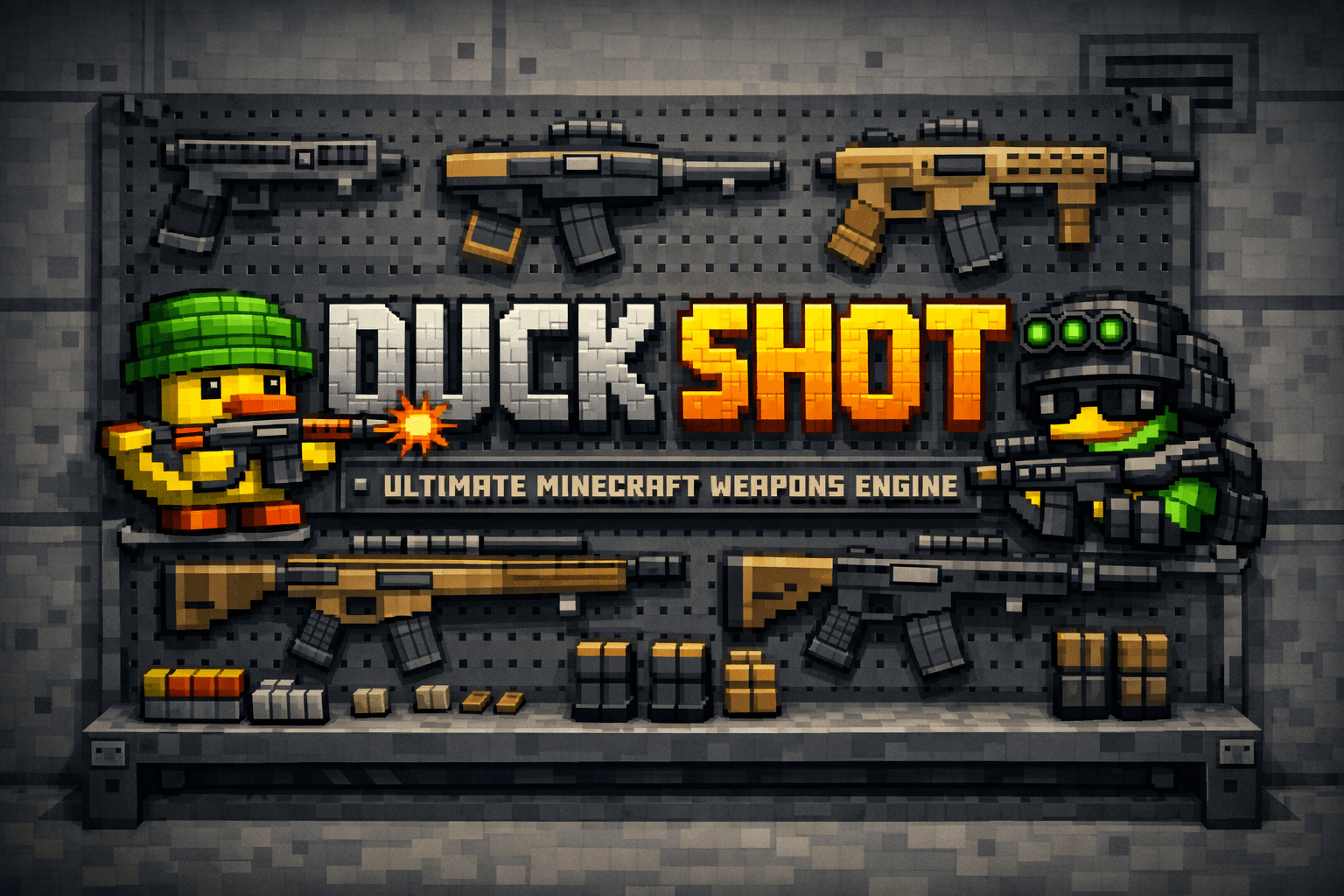
Duck Shot weapon lineup

Preview slot

Weapon lineup

A clean lineup shot that sells the default arsenal and the overall combat identity.

Duck Shot support banner

Support

Support and bug reports

If something breaks, use support or discussion and include enough detail for the issue to be reproduced.

Do not use reviews for bug reports. Use the support links instead.

When you report a problem, include the server version, Duck Shot version, the file you changed, the exact item or command you tested, any console errors, and whether you tried it on a clean server.

Good report checklist

  • Server version and Duck Shot version.
  • The exact file you changed.
  • The exact command or item you tested.
  • Any console output or errors.
  • Whether you tested on a clean server.